
How to Work Online Using Smartphone: Earn Anywhere in 2025
Learn how to work online using smartphone and earn money from anywhere. Discover the best apps, tools, and tips to build a real online career without a laptop — all from your phone.
MOBILE MONEY-MAKING GUIDESFREELANCING & REMOTE WORK
T. Nova
11/21/202511 min read


Understanding the Mobile Workspace
In today’s fast-changing digital world, working online no longer means sitting behind a desk with a computer. Thanks to the power of smartphones, anyone can start earning money or running a business right from their mobile device. Whether you’re a freelancer, a student, or someone looking for extra income, understanding how to use your smartphone as your main workspace can completely change the way you work.
What Is a Mobile Workspace?
A mobile workspace simply means using your phone as your main work tool. Instead of relying on a laptop or desktop, you use apps, cloud storage, and the internet to complete your daily tasks. This setup allows you to work anytime and anywhere — all you need is your phone and a good internet connection.
Here’s what makes the mobile workspace powerful:
Portable & Convenient: Your office fits in your pocket — perfect for remote workers and travellers.
Always Connected: You can check emails, attend meetings, or submit work from anywhere.
Multi-functional: Smartphones now handle everything from content creation to managing finances.
Why Working from Your Phone Is the Future
The modern workforce is shifting toward flexibility and independence. With the help of mobile technology, many people are building full-time incomes using only their phones. Here’s why this trend keeps growing:
Freedom & Flexibility: You decide when and where to work. You can manage clients from your favourite café, respond to messages during travel, or brainstorm new ideas from your living room.
Low Startup Cost: You don’t need an expensive laptop setup. A good smartphone and internet plan are enough to begin.
Global Opportunities: You can find work from anywhere in the world through platforms like Upwork, Fiverr, and Freelancer — all accessible from mobile apps.
Top Apps That Help You Work Smarter on Mobile
Your smartphone can handle nearly every type of task with the right tools. Here are some must-have apps for working online efficiently:
Project Management: Trello, Notion, or Asana — to organise your tasks and deadlines.
Communication: Zoom, Google Meet, or WhatsApp — to connect with clients or teams.
Content Creation: Canva and Adobe Express — to design visuals and posts on the go.
File Storage: Google Drive or Dropbox — to save and share work securely.
Finance & Payments: Payoneer, PayPal, and Wise — to manage income and withdrawals.
Using these tools effectively transforms your smartphone into a complete professional workstation.
Tips to Build a Productive Mobile Work Routine
Success in a mobile workspace depends on discipline and the right habits. Here are a few practical tips:
Set Clear Working Hours: Even though you have flexibility, create a daily routine to stay consistent.
Minimise Distractions: Turn off social media notifications during work time.
Use Cloud Tools: Keep your work backed up online to access it from anywhere.
Keep Learning: Explore new apps, digital tools, and remote job platforms regularly.
Working online using only a smartphone is not just a trend — it’s a growing reality in today’s world. With the right apps, mindset, and strategy, your mobile device can help you manage projects, connect with clients, and build a real online career.
If you’re ready to embrace the mobile workspace, start exploring small freelance tasks, social media work, or digital content creation — all from your smartphone. The future of work is mobile, and it’s more accessible than ever.


How to Get Started Working Online Using Only Your Smartphone
Working online with just a smartphone may sound too good to be true — but in today’s digital age, it’s completely possible. With the right approach, mindset, and tools, you can turn your phone into a small business hub or remote office. Whether you want to earn extra money or build a full-time online career, here’s how to begin step-by-step.
1. Choose What Type of Online Work Fits You Best
The first step is understanding your strengths and interests. There are many types of online jobs that can be done easily from a smartphone. Choose one that matches your skills and goals.
Here are a few beginner-friendly options:
Freelance Writing: Write blog posts, product descriptions, or social media captions for businesses.
Graphic Design: Use apps like Canva or Adobe Express to design logos, posters, and social media posts.
Social Media Management: Help brands manage Instagram, Facebook, or TikTok accounts using your phone.
Content Creation: Make short videos or reels for YouTube Shorts, Instagram, or TikTok.
Virtual Assistant: Handle emails, messages, and scheduling for clients through mobile apps.
Online Selling: Use your smartphone to manage an online shop through platforms like Shopify, Etsy, or social media.
Tip: Start with one skill and master it before trying to do everything at once.
2. Prepare Your Smartphone for Work
Treat your phone as your professional tool — just like a laptop. Organise it for productivity:
Create a “Work” Folder: Keep all work-related apps (Gmail, Google Drive, Canva, Trello, etc.) in one place.
Turn Off Distractions: Mute notifications from social media or games during working hours.
Use Cloud Storage: Save all files to Google Drive or Dropbox for easy access anywhere.
Keep It Updated: Install app updates and manage storage so your phone runs smoothly.
Pro Tip: A simple Bluetooth keyboard or earphones can make mobile work faster and more comfortable.
3. Set Up Your Online Profiles and Work Platforms
Once you’re ready, create professional profiles on platforms that connect you with clients or opportunities:
Freelancing Platforms: Upwork, Fiverr, Freelancer, and PeoplePerHour all have mobile apps.
Remote Job Boards: Try Jooble, Remote OK, or Indeed mobile apps.
Social Media: Showcase your skills on LinkedIn, Instagram, or TikTok to attract clients.
Make sure your profile looks professional:
Use a clear profile photo and short, confident bio.
Write about your skills, experience, and services in simple words.
Add samples of your work — even small ones — to build trust.
4. Build Good Work Habits
Working from your phone requires discipline. Here are some good habits to build early on:
Plan Your Day: Use apps like Notion or Google Tasks to list what you’ll do each day.
Set Goals: Track income targets and progress weekly.
Communicate Clearly: Reply to messages on time and maintain a friendly, professional tone.
Take Breaks: Don’t overuse your phone — give your eyes and mind time to rest.
Remember: Clients love freelancers who are consistent, reliable, and easy to communicate with.
5. Keep Learning and Improving
The more skills you learn, the more opportunities you’ll unlock. You can learn almost anything from your smartphone for free.
Try these learning platforms:
YouTube: Tutorials on writing, editing, marketing, or design.
Coursera / Skillshare / Udemy: Online courses (many are mobile-friendly).
Google Digital Garage: Free certification courses from Google to boost credibility.
Tip: Keep updating your skills every few months. The digital world changes fast!
Starting an online career with only a smartphone isn’t about having the most expensive device — it’s about having the right mindset and consistency. With time, effort, and the right tools, your phone can become the mini office that helps you build income, independence, and freedom.
The key is to start small, stay consistent, and keep learning. Once you gain experience, you can grow your earnings, attract clients, and even expand your business — all from the palm of your hand.
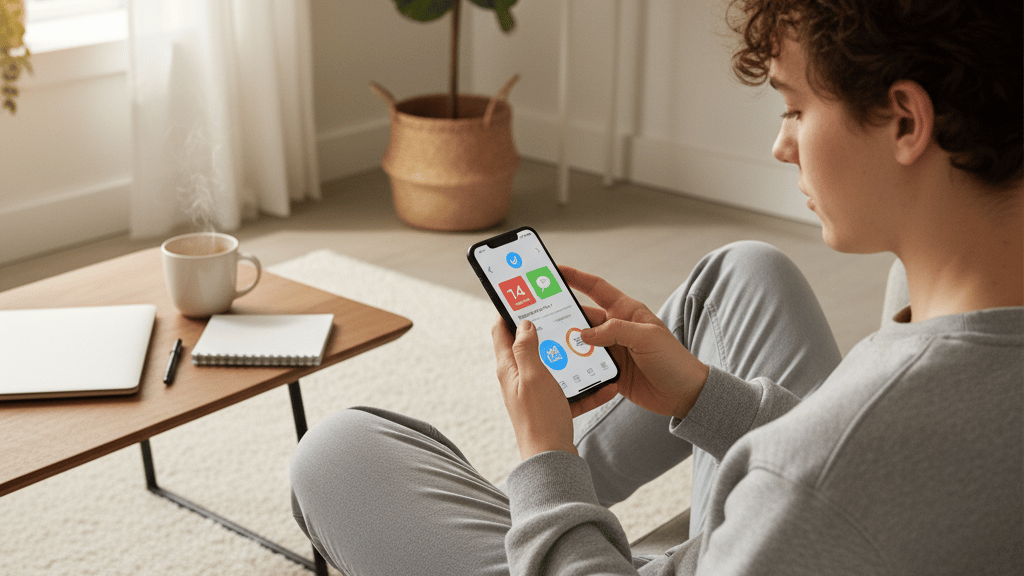

Best Apps and Tools to Earn Money Online Using Only Your Smartphone
If you want to work online using just your smartphone, the right apps can make all the difference. Today, you don’t need a laptop to design graphics, manage projects, or communicate with clients. Everything can be done with mobile-friendly tools that are simple, fast, and powerful.
In this section, we’ll look at some of the best apps and tools that help you work smart, stay organised, and grow your online income right from your phone.
1. Communication and Collaboration Tools
Clear communication is the backbone of online work. Whether you’re a freelancer, a virtual assistant, or a content creator, you need reliable apps to stay in touch with clients and teams.
Here are some must-have apps for communication:
WhatsApp Business: Great for managing client chats, sending quick updates, and organising work-related messages separately from personal ones.
Gmail: Still the most popular email app for managing business messages and client communications.
Zoom / Google Meet: Perfect for video calls, online meetings, or virtual interviews.
Slack: Ideal for collaborating with remote teams or clients on ongoing projects.
Pro Tip: Always keep your communication polite, short, and professional. A good impression leads to repeat clients.
2. Project Management and Productivity Apps
Working online often means juggling multiple projects and deadlines. These apps help you stay organised and productive directly from your smartphone.
Trello: Use boards, cards, and checklists to track your projects easily.
Notion: A powerful all-in-one tool for notes, planning, and project management.
Google Keep: Simple for taking quick notes or saving important client ideas.
Todoist: A task manager that keeps your daily to-do list clear and structured.
Tip: Spend 5–10 minutes every morning organising your day. It keeps you focused and saves time later.
3. Content Creation and Design Tools
If your work involves marketing, freelancing, or social media, you’ll need apps that make your content look professional — even without a laptop.
Here are some of the best:
Canva: A user-friendly design app for creating social media posts, flyers, and logos.
Adobe Express (formerly Spark): Great for making polished videos, graphics, and short promotional clips.
CapCut / InShot: Ideal for editing videos for YouTube Shorts, TikTok, or Instagram Reels.
Pixellab / Snapseed: Perfect for editing images, adding text, or improving lighting.
Pro Tip: Use consistent colours, fonts, and styles in your designs — it helps you build a professional online brand.
4. File Storage and Cloud Tools
When you work online, it’s essential to keep your documents, images, and videos organised and safe. Cloud tools make it easy to store files and access them from anywhere.
Google Drive: A Free and simple way to store and share files securely.
Dropbox: Reliable cloud storage for larger files like videos or design projects.
Microsoft OneDrive: Perfect for those who already use Microsoft tools or Office apps.
Tip: Keep separate folders for each client or project to stay organised.
5. Payment and Finance Apps
Getting paid is the most rewarding part of online work — and these apps make it simple and secure.
You can receive international payments, track your income, and even manage expenses right from your smartphone.
Payoneer: Widely used for freelancing payments from platforms like Upwork and Fiverr.
PayPal: Ideal for sending and receiving payments globally.
Wise (formerly TransferWise): Great for receiving international payments with low fees.
Google Sheets: Use it to track earnings, clients, and expenses in one place.
Pro Tip: Always keep payment records safe and double-check client details before sending invoices.
6. Learning and Skill Development Apps
The more you learn, the more you earn. Constantly improving your skills helps you stay relevant in the online job market.
Here are a few apps that make learning easy and mobile-friendly:
Google Digital Garage: Free online courses from Google to learn digital marketing and freelancing skills.
Coursera / Udemy / Skillshare: Learn new skills like writing, video editing, or graphic design at your own pace.
YouTube: A free resource for tutorials on almost any online job or software.
Tip: Dedicate at least 30 minutes daily to learning something new on your phone.
The key to working online with just your smartphone is using the right apps wisely. These tools help you stay professional, efficient, and independent — without needing a computer. Start by downloading a few essential apps, exploring their features, and building your workflow step by step.
Remember, success doesn’t depend on expensive equipment — it depends on your consistency, creativity, and ability to adapt. With these apps, your smartphone can become a complete online workstation ready to help you earn from anywhere in the world.


The Future of Mobile Work and How to Grow Long-Term
The idea of working online using only a smartphone is no longer just a trend — it’s becoming a major part of the global workforce. As technology keeps improving, more tools and opportunities are appearing every day for people who want to earn income digitally. Understanding where this movement is heading can help you stay prepared, competitive, and ready to grow.
1. The Rise of the Mobile Workforce
Across the world, millions of people now use their smartphones for work, not just entertainment. Mobile apps and faster internet speeds have made it possible to run entire businesses from a phone. Whether you’re managing clients, designing graphics, or selling products online, all of it can happen through mobile devices.
Here’s why the mobile workforce is growing so fast:
Increased Accessibility: Anyone with a phone and internet connection can access global opportunities.
Affordable Technology: Modern smartphones are powerful and budget-friendly, making online work more inclusive.
Remote Work Culture: Companies are now open to hiring remote talent who can work from anywhere.
Constant Innovation: New apps and tools are being launched every month, making mobile work easier and faster.
Simply put, mobile work is the future — and it’s open to everyone who’s ready to adapt.
2. How to Grow a Sustainable Online Career Using Your Phone
Building a long-term career from your smartphone isn’t about quick money. It’s about creating a consistent income by building skills, professionalism, and digital credibility.
Here’s how you can grow steadily over time:
Step 1: Build a Strong Personal Brand
Use your name or business name consistently across social platforms.
Create a clean, professional bio and use a friendly photo.
Share your work or tips regularly to build authority in your niche.
Step 2: Specialise in One Area
Instead of doing everything, focus on one niche — for example, copywriting, design, social media, or content creation.
Becoming an expert in one skill helps you stand out and attract better-paying clients.
Step 3: Deliver Great Client Experience
Always communicate clearly and meet deadlines.
Be polite and proactive — a good attitude brings long-term clients.
Ask for feedback and testimonials to build your online reputation.
Step 4: Diversify Your Income
Once you’ve built a foundation, explore multiple income sources from your phone:
Offer digital services on freelance platforms.
Sell digital products like eBooks, templates, or presets.
Create content on YouTube, TikTok, or Instagram and monetise it.
Start a simple online business or blog (like this one).
Step 5: Keep Adapting
Technology changes fast. Stay updated with new apps, platforms, and skills.
Follow digital trends, take short courses, and join online communities.
Growth in mobile work is not about doing more — it’s about doing better.
3. Challenges of Working from a Smartphone (and How to Overcome Them)
While mobile work offers freedom, it also comes with challenges. Here’s how to handle them effectively:
Limited Screen Space: Use cloud syncing to switch between phone and tablet if possible.
Distractions: Keep separate personal and work profiles or folders on your phone.
Battery & Storage Issues: Invest in a power bank and cloud storage.
Work-Life Balance: Schedule “no-phone hours” daily to rest your eyes and mind.
By managing these small challenges wisely, your phone can remain your most reliable business partner.
4. The Future of Earning from Mobile Devices
Looking ahead, mobile work will continue expanding. With the rise of AI tools, 5G networks, and smarter devices, people will have more opportunities to:
Automate tasks using AI-powered apps.
Build personal brands through short-form video platforms.
Access global clients instantly through mobile freelancing marketplaces.
Learn, earn, and grow — all from their smartphones.
The line between traditional jobs and digital work is disappearing. The next generation of professionals will likely start and run their entire careers using just their phones.
Your Smartphone Is Your Gateway to Freedom
Working online using only a smartphone is no longer a dream — it’s a practical reality for millions of people worldwide. Whether you’re writing articles, managing clients, designing graphics, or selling digital products, your mobile device gives you everything you need to build real income and independence.
To succeed long-term:
Keep your skills updated.
Stay disciplined and organised.
Use technology wisely.
Focus on offering value — not just earning quick cash.
The future of work is mobile, flexible, and borderless. With commitment, creativity, and the right mindset, your smartphone can become your most powerful career tool — opening doors to opportunities far beyond what a traditional office could ever offer.
© 2025. All rights reserved.


helps you discover simple, proven ways to earn money online and build financial freedom.
About